Transfer Cases Between Students
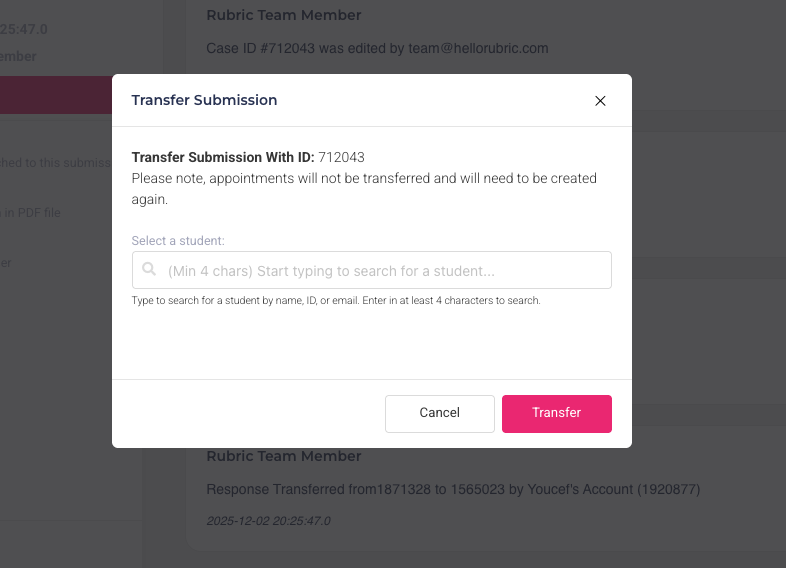
We're excited to introduce a new feature that allows you to transfer any existing case from one student to another student's profile.
This functionality ensures continuity and accurate record-keeping when student ownership or case context changes.
This feature is particularly useful in the following scenarios:
Mistaken Identity/Misfiling: A case was accidentally opened under Student A's profile when it should have belonged to Student B. You can now easily move the entire case file to the correct student.
Account Merging/Correction: If a student was found to have duplicate accounts and a case was logged under the incorrect or soon-to-be-deactivated profile, you can transfer the case history to their primary, active profile before merging/deleting the duplicate.
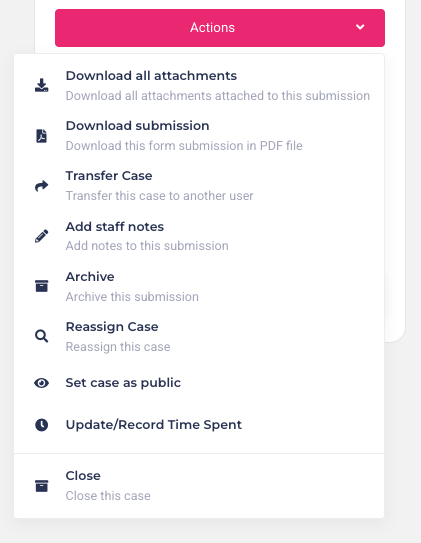
To transfer any case to a different student, navigate to the case itself. From the actions dropdown (as shown), simply select the 'Transfer Case' option. A subsequent prompt will appear, requiring you to select the target student for the case transfer. Upon confirmation, the case will be instantly reassigned.