Add Sections to Event Approval Forms

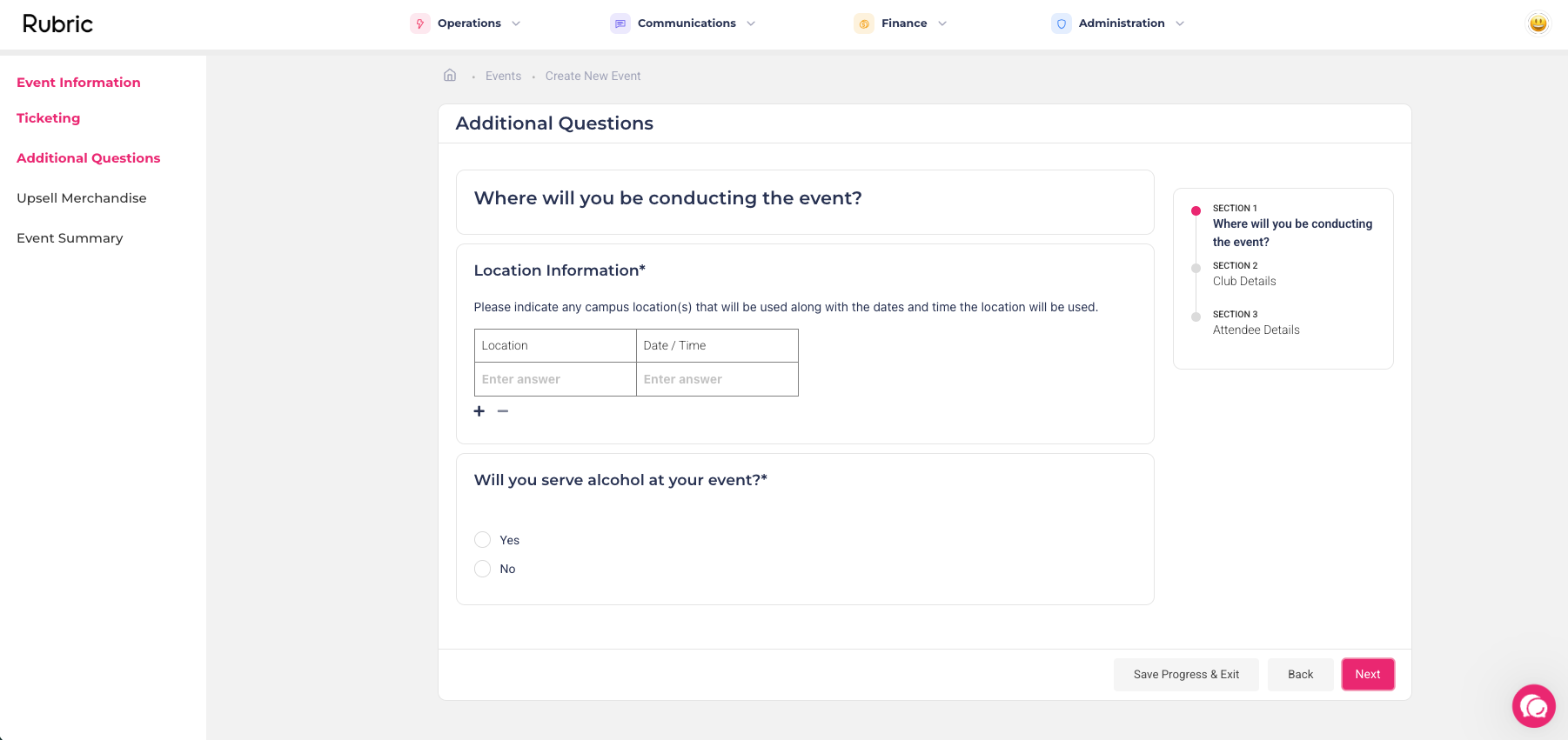
You can now add sections when setting up event questions within the Event Approval Module!
Group related questions into sections so attendees see a clearer, step-by-step flow. This makes it easier to collect more detailed information at registration, dietary requirements, accessibility needs, custom fields, and more, without one long list of questions.
Where to find it: Governance → Event Approvals → Edit Event Questions → Drag and drop sections within the form!
Use Cases
Conference registration: Add a “Professional Details” section (role, organisation, industry) and a separate “Session Preferences” section to keep long forms easy to complete.
Community events: Use sections like “Accessibility & Dietary” and “Emergency Contact” so important attendee information is collected clearly and in one place.
Training/workshop events: Create “Experience Level” and “Pre-work Requirements” sections to gather the right details before assigning attendees to suitable groups.