Assign Returning Officers to Elections
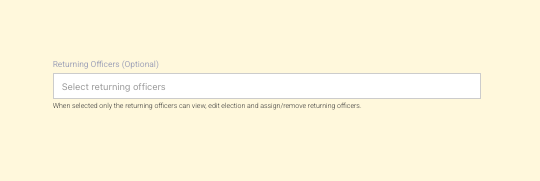
Our latest feature release allows election creators and editors to designate Returning Officers for an election.
When one or more returning officers are selected, only those users can view the election, edit it, and assign or remove other returning officers. This supports controlled access and clear responsibility for running the election.
How can I assign Returning Officers?
On the first step of the Create Election or Edit Election screen, you’ll see a field called Returning Officers (Optional). Click the field to see a list of people you can choose from. Select as many as you need; each person appears as a tag.
When you save the election, only the people you selected as returning officers will be able to open and manage that election. You can change the list at any time by editing the election (if you are a returning officer or have the right to edit it).
Once returning officers have been assigned, any non–returning officer who attempts to access election pages will see the following:

Use Cases
Delegation to a dedicated team
Assign returning officers to manage the election end-to-end, limiting access and reducing accidental changes.Sensitive or high-stakes elections
Restrict access to trusted individuals to maintain confidentiality and control until results are released.Clear accountability
Assign a single returning officer to ensure one clear point of responsibility.Delegation without full access
Allow someone to run the election without granting broader admin rights across the platform.