Audit Log Visibility in Admin Portal
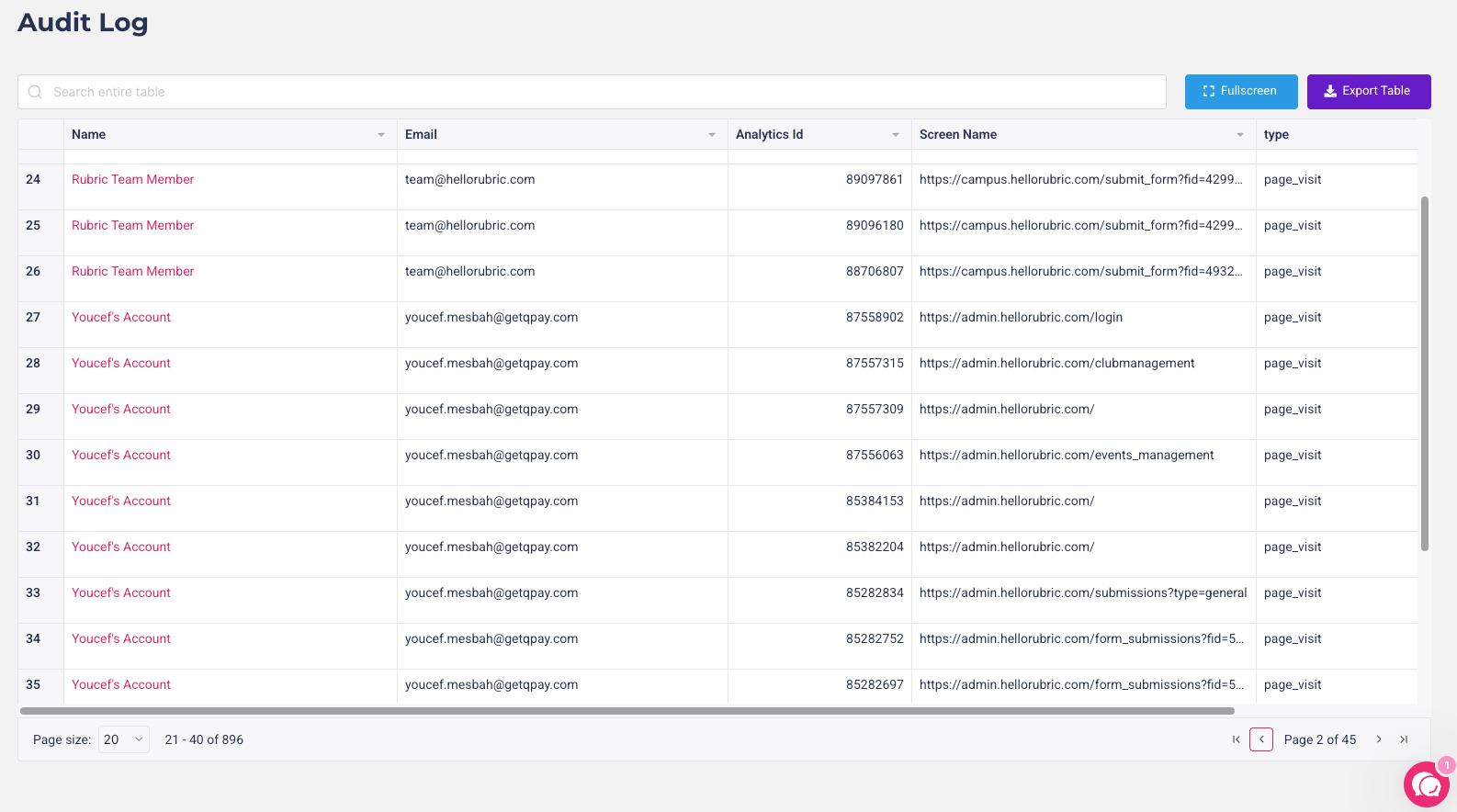
We’re excited to introduce a new enhancement that allows admins to view the Audit Log directly through the Admin Portal.
This update provides greater transparency and oversight by giving admins easy access to a detailed record of user activity and system changes.
What’s New
In the Admin Portal, navigate to User Management and click the Audit Log button. You will now see a comprehensive table that includes the following details:
Name – full name of the user
Email – user’s email address
Type – type of activity or action performed
Screen Name – the page visited
Timestamp – date and time of the action
Admins can now quickly review and track user activity in one centralized location.
How It Works
Log in to the Admin Portal.
Go to User Management.
Click the Audit Log button.
Browse through the entries to view detailed user activity information.
This enhancement helps you:
Maintain better oversight of user activity
Track changes and actions for compliance and security purposes
Quickly identify patterns or anomalies in user behavior
With this feature, monitoring and managing your platform has never been easier or more transparent.