Brand New Club News Approval Module!

Clubs have always been able to post news on their Link in Bio page. Until now, unions had no say in what went out and no way to bring those posts together in one place. This release adds an approval flow, a campus-wide news page, and a proper page for every article that can be shared like any other link.
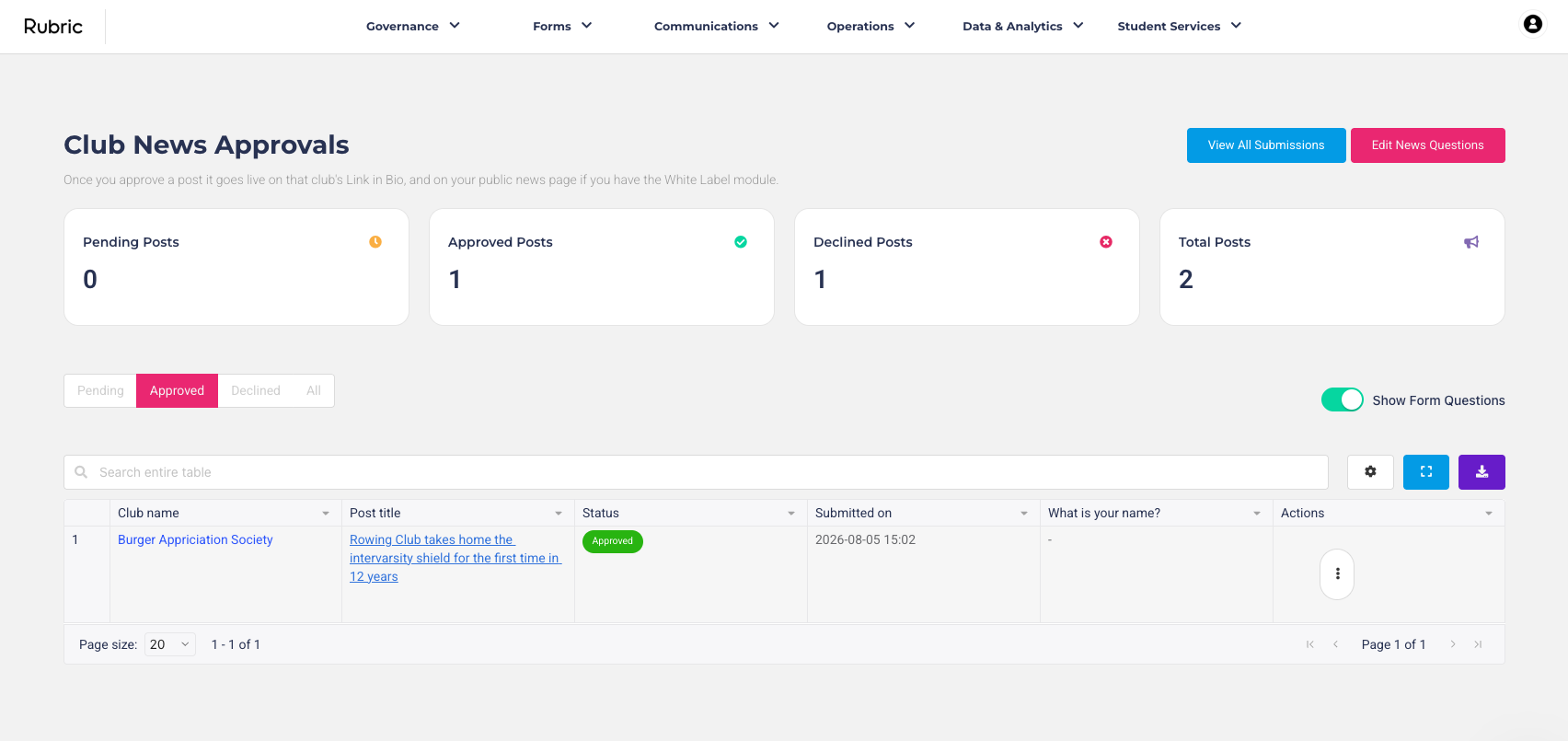
How it works
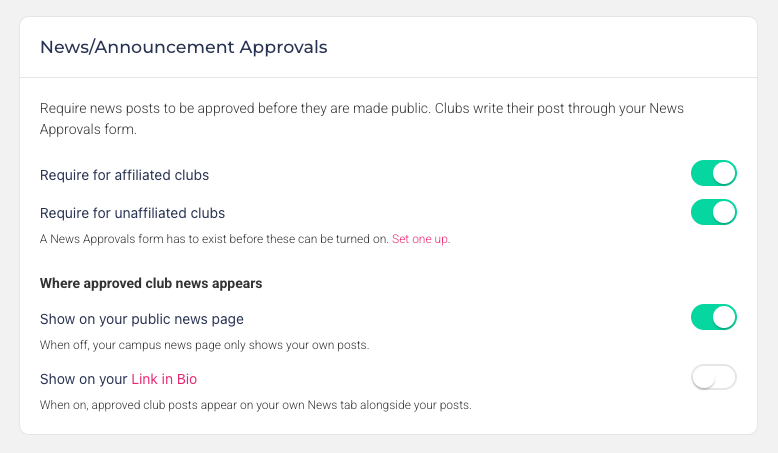
Unions decide what needs approving. In Settings, a union can require approval for affiliated clubs, unaffiliated clubs, or both. Approval runs off a News Approvals form the union builds itself, so if they want a category or a contact person on every post, they just add those questions.
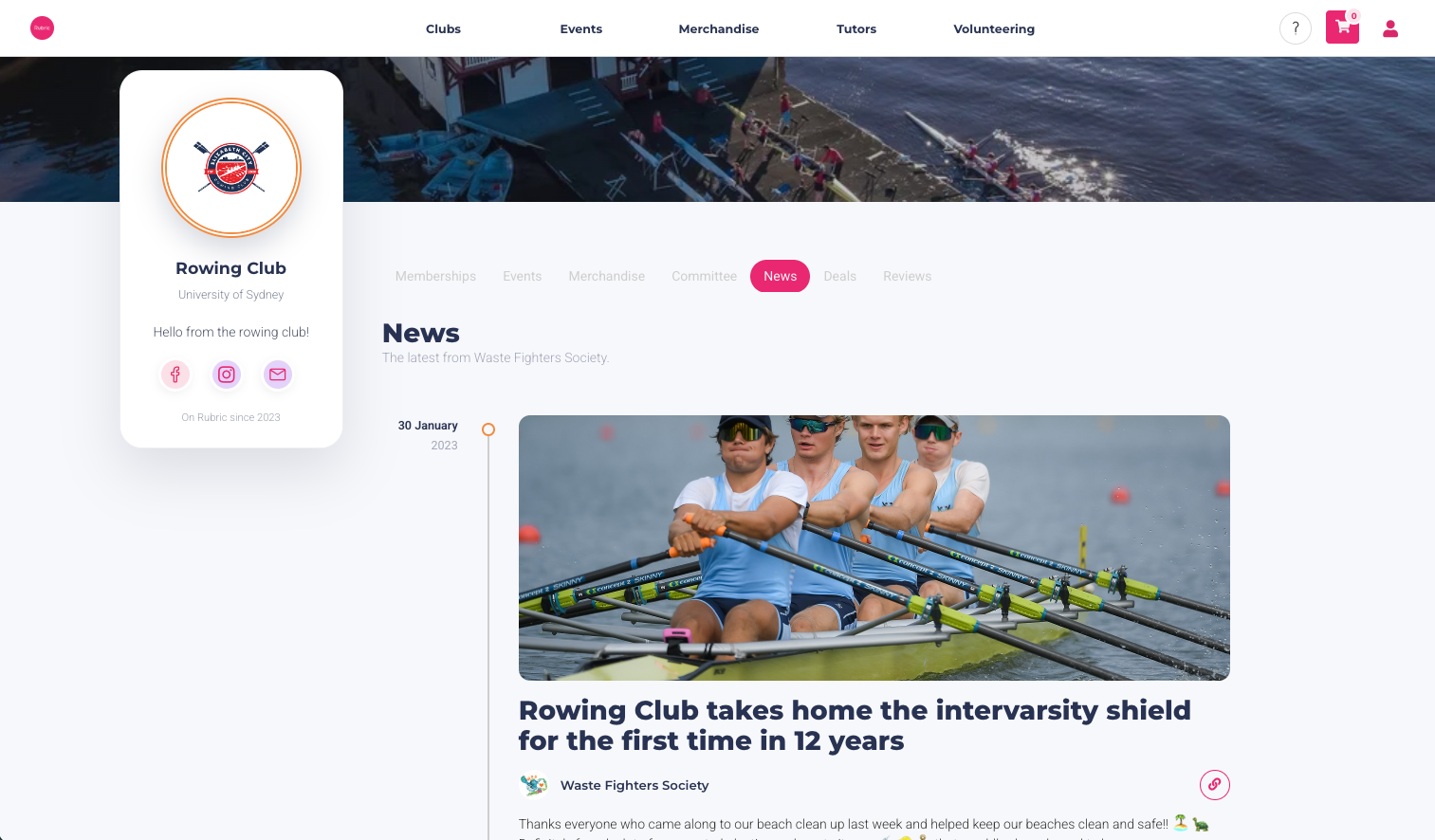
Clubs write posts as they always have. Headline, rich text and a banner image from their News tab. Where approval is required the post goes to the union first and shows as "Pending approval" until it's cleared, then publishes itself.
Unions review from one page. Everything waiting in one list, with a full preview and approve, reject or take-down actions.
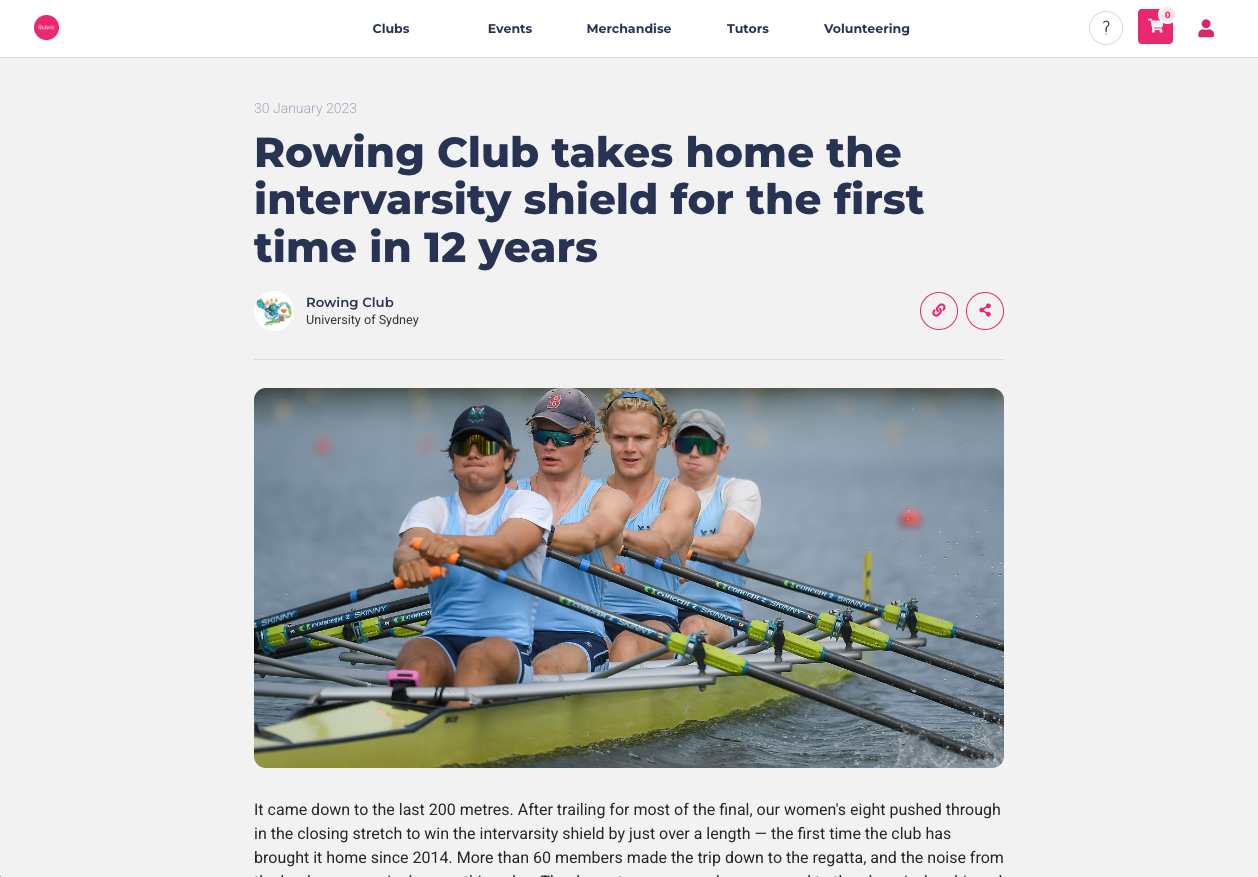
Every post has its own page and a shareable link. There's a copy link button on the feeds and on the article, and the link works for anyone.
Unions choose where approved news appears, on the public campus news page, in their own Link in Bio feed, or neither. Every post is credited to the club that wrote it.
Use cases
If you have a campus wide communications policy. Nothing goes out under the university's banner without a check, and reviewing takes seconds.
A campus newsroom. Every club's approved posts in one live feed, without commissioning a single article.
Taking something down. A post has the wrong date. Remove it once and it disappears from the club's page, the campus news page and the union's feed together.
Already have a white labelled portal? Your students get a campus-wide news feed on it at no extra cost. Approvals, club pages and shareable links work either way.
If you are interested in this module, please reach out to us at sales@hellorubric.com.