Multi-User Approvals Now Available for Events
Managing event approvals just got more flexible.
Multi-user approvals are now supported as part of the event approval flow, allowing Unions to configure multiple approvers and organize their event approval process into stages. This makes it easier to involve the right people in reviewing events before they are approved.
Configure your approval workflow
To configure multi-user approvals for an event, go to Event Management, select Edit Event Questions, and navigate to Settings → Workflow & Approvals. From there, enable Multi User Approval to set up approval stages and assign approvers to each stage.
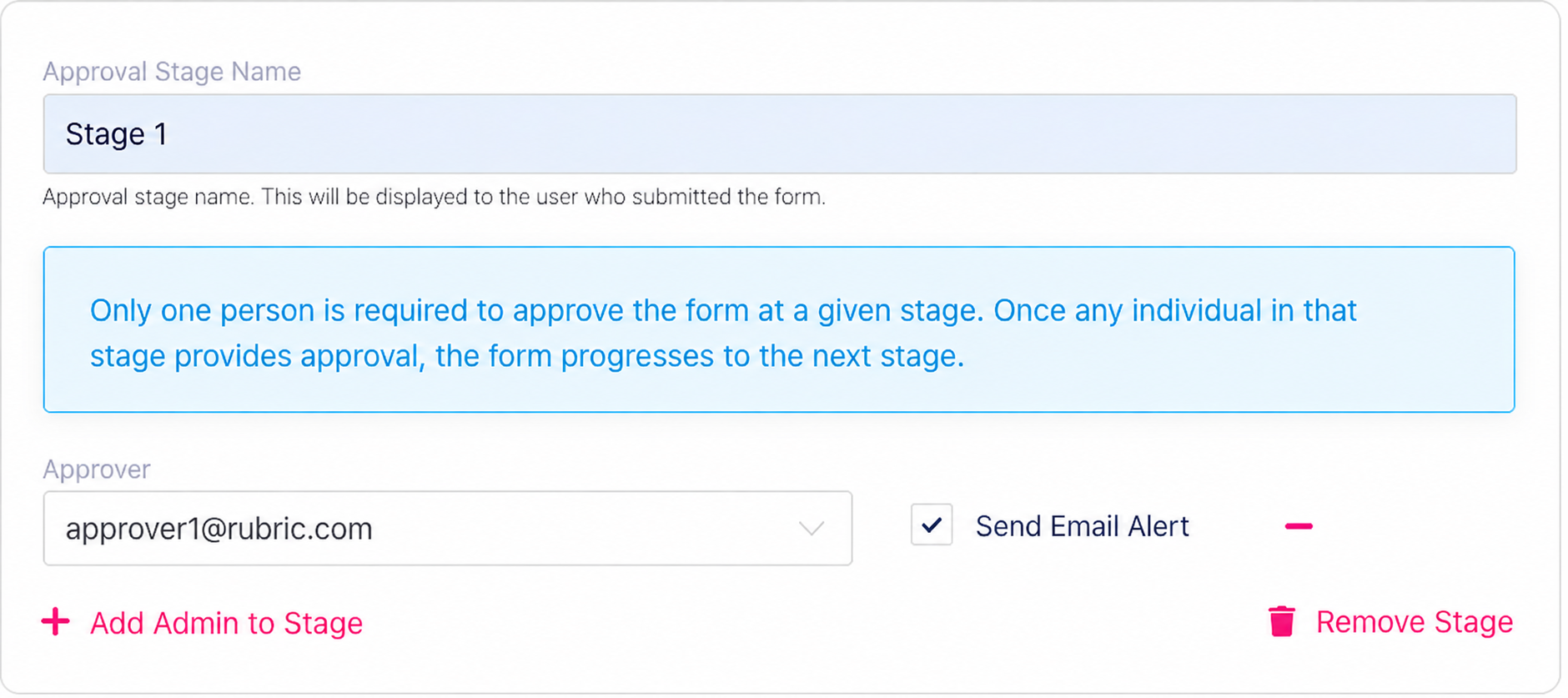
Flexible approval stages
Each approval stage can include multiple approvers. By default, only one approver within a stage needs to approve the submission for it to progress to the next stage.
You can also enable Enforce Approval Stage Order to ensure submissions are reviewed in sequence, with each stage completed before the next one begins.
Track approvals and submission status
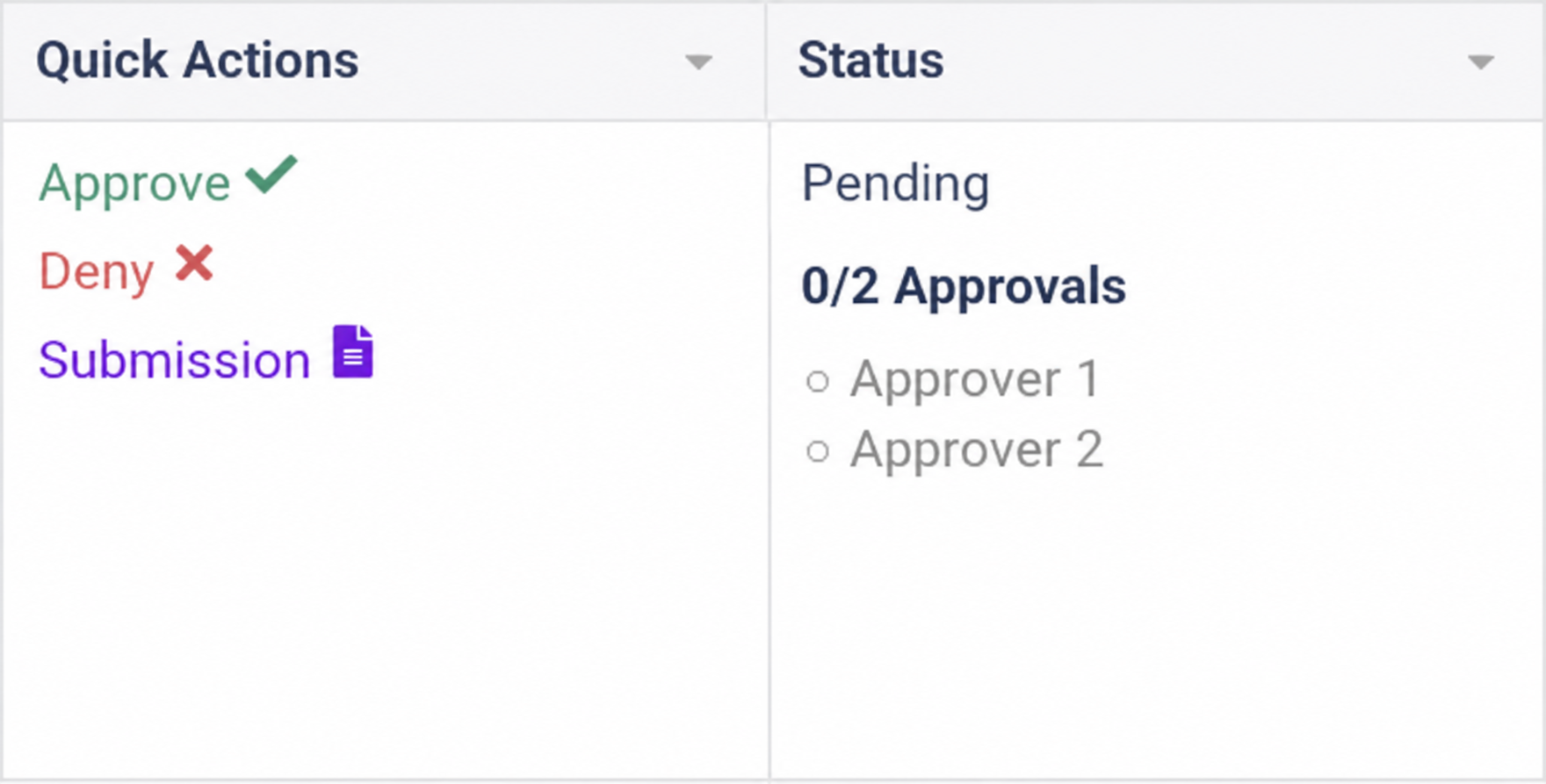
Approvers can review event submissions and approve or deny them directly through the submission management interface.
The status displays the current approval progress, including the number of approvals received and the assigned approvers, making it easier to track which submissions are still awaiting review.
Useful for managing event approvals
Multiple approvers: Assign several people to review an event at each stage.
Staged workflows: Organize approvals across different teams.
Sequential approvals: Require stages to be completed in order when needed.
Email notifications: Notify approvers when they need to review a submission.
Approval tracking: See the current status and progress of event approvals.
Multi-user approval can only be enabled for event approvals that require a form submission.