Organize Your Union: Introducing Branches & Branch Tags
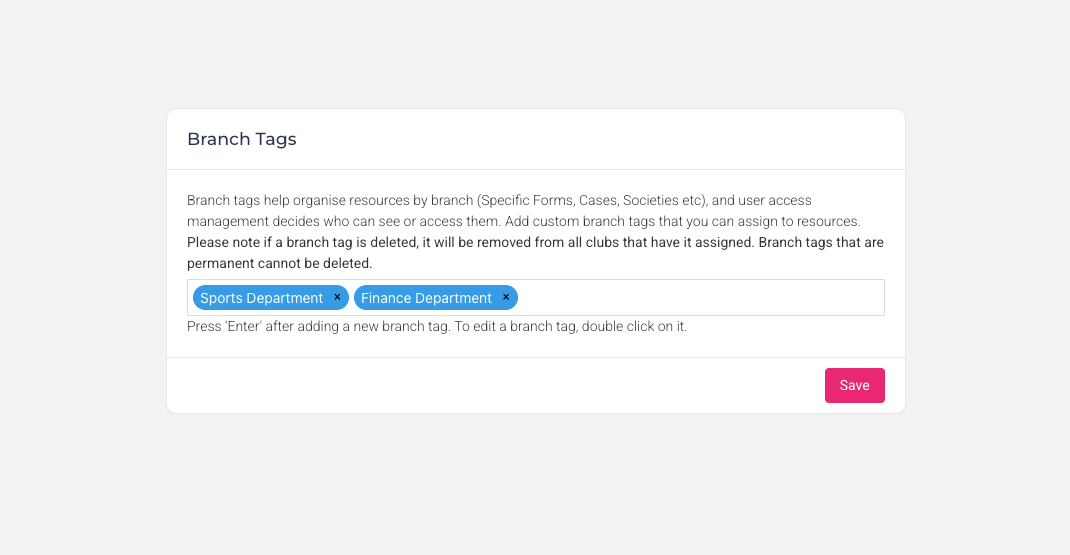
We’re excited to introduce Branch Tags, a new organization wide access control feature in Rubric. Branch Tags allow unions to control which users can view or interact with specific resources by assigning tags to both users and resources across the platform.
This provides a flexible way to manage access across different branches, departments while keeping everything within the same Rubric environment.
How Branch Tags Work
Branch Tags act as labels that connect users with the resources they are allowed to access.
If a user has one or more branch tags assigned, they will only be able to access resources that share at least one of the same tags. This ensures that users only see forms, programs, reports, or societies that are relevant to their branch.
Users who have no branch tags assigned will continue to have access to resources across all branches.
Branch Tags can only be assigned or managed by administrators. Administrators themselves cannot be restricted by branch tags, ensuring they always retain full platform access.
Creating Branch Tags
Branch Tags are created within the Union Settings area. Administrators can add, edit, or remove tags using the Branch Tags management panel.
Tags are added using a simple input system where admins can type a tag name and press Enter to create it. Existing tags can be edited directly, and up to 50 custom branch tags can be maintained for an organization.
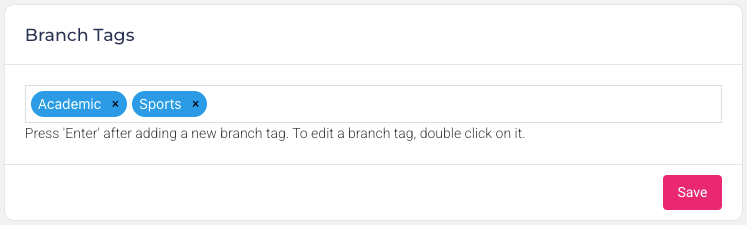
Assigning Branch Tags to Resources
Once created, branch tags can be assigned to resources across Rubric to control visibility.
Branch tagging is supported across multiple areas of the platform, including:
Forms
Reports
Volunteer Programs
Training Programs
Societies and Clubs
When tags are assigned to a resource, only users who share at least one of those tags will be able to access it. This makes it easy to limit certain programs, reports, or workflows to specific branches or departments.
Key Considerations: Branch Restrictions and Resource Visibility
When a branch tag is assigned to a user, they can only access resources (Forms, Cases, Societies etc.) that have at least one of the same branch tags.
If a resource has one or more branch tags, only users who share at least one of those branch tags can see it.
Users with no branch tags can see resources from all branches.
Only administrators can assign or remove branch tags on users and resources.
Users who are administrators cannot be assigned branch tags.
Use Cases
Branch Tags enable powerful access control across multi-branch organizations.
Department-Based Access
Restrict forms, reports, or programs to specific teams such as finance, volunteering, or student services.Branch-Specific Programs
Ensure volunteer programs, training courses, or appointment bookings are only visible to users responsible for those areas.Society or Club Oversight
Assign branch-specific staff to manage only the societies within their branch.
With Branch Tags, Rubric now provides a simple but powerful way to manage access across large organizations, ensuring the right people see the right resources at the right time.