Public Forms Are Now Available on Rubric
We’re excited to introduce Public Forms, making it easier than ever to collect responses from anyone no account required.
How It Works
Create a Form
Navigate to Forms and select Create Form to get started.
Choose Form Type
Select Standard Form, then choose Students Only as the form audience.
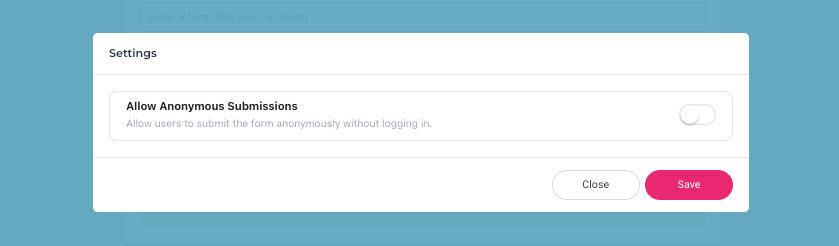
Enable Anonymous Submissions
In Form Settings, enable Anonymous Submissions to allow responses without requiring users to sign in.
What This Means
Once anonymous submissions are enabled, anyone can participate in the form, even without creating or having an account, making it ideal for feedback collection, registrations, etc.
Note: Not all forms can be made public. Public access is available only for “student“ forms (forms that are submitted by students instead of clubs).