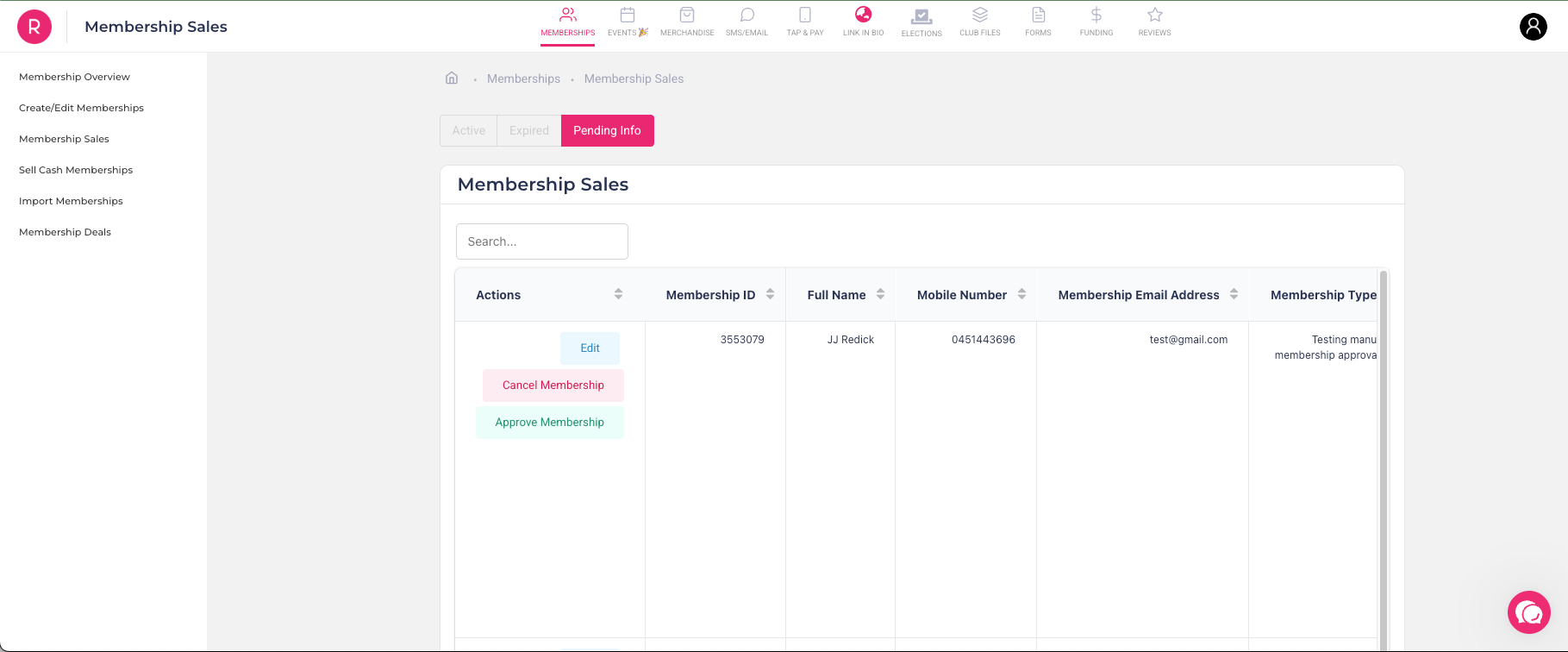
🚀 New Feature: Manual Membership Approvals
Clubs can now manually approve or reject membership requests. This gives you full control over who joins your club.
View pending membership requests
Approve or reject applications individually
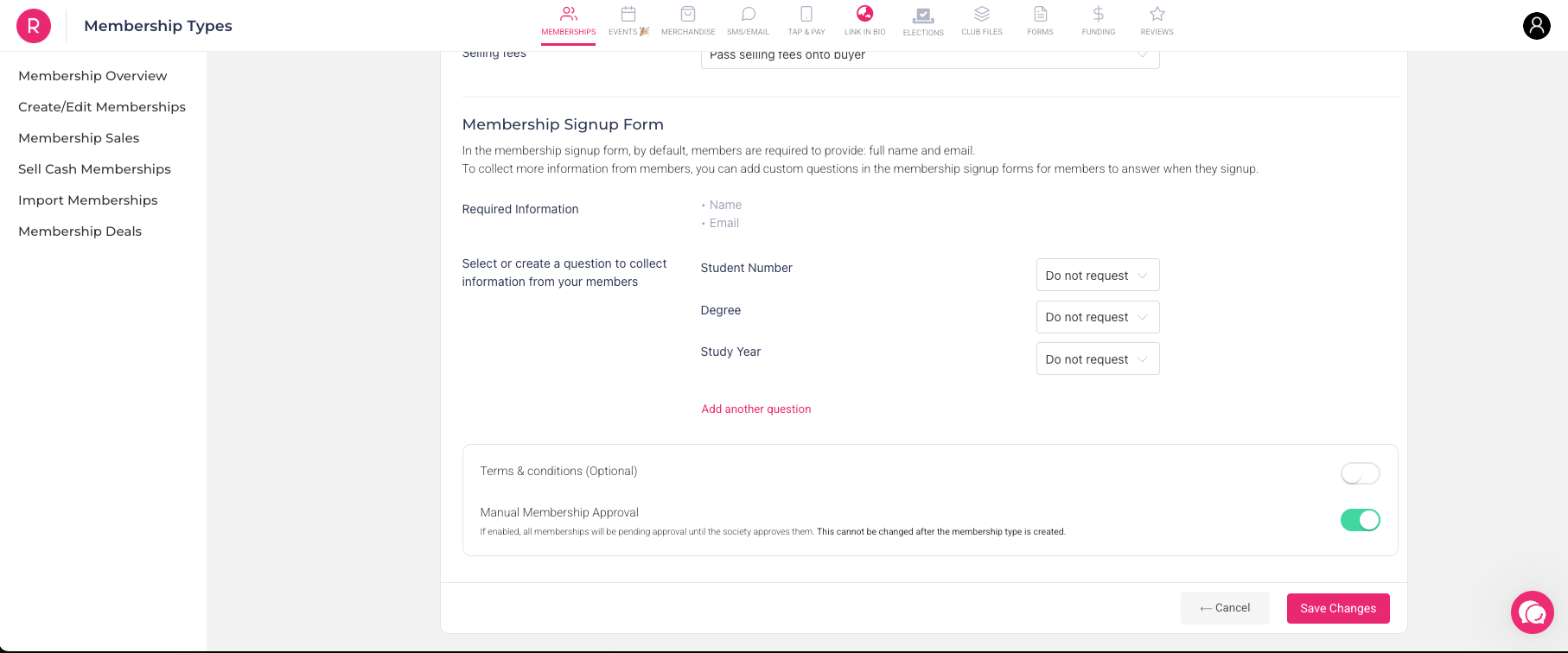
Step 1: When creating a membership type, simply enable the “Manual Approval Required” option. This marks the membership as one that needs approval before activation.
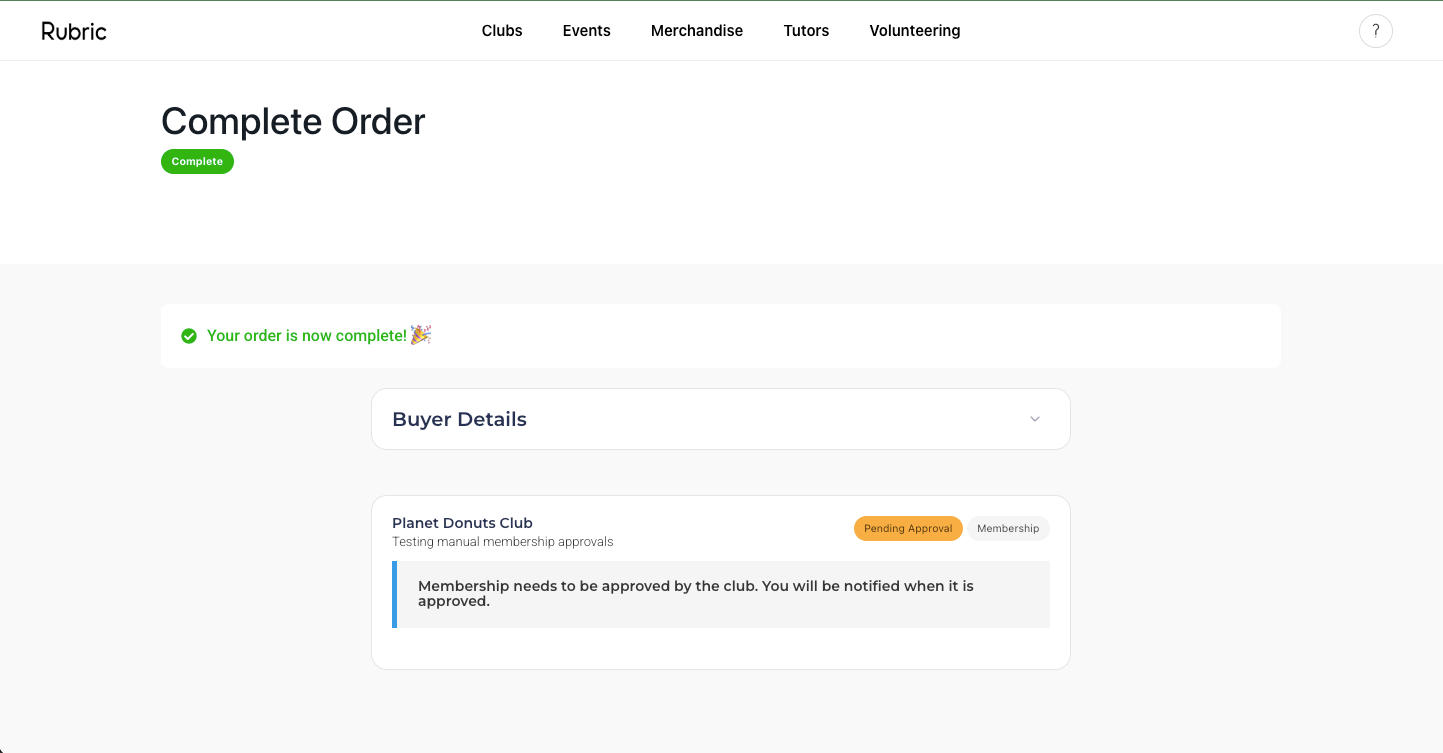
Step 2: When a student purchases this membership, they’ll see a message indicating that their membership is pending approval. They will not gain access until it's approved.
Step 3: Navigate to the Membership Sales → Pending section.
Here, each pending membership will have an "Approve Membership" button.
You can choose to either approve or cancel the membership request directly from this view.